Loading
In this article, you will learn how to create a DMARC record for the application of the DMARC policy of none on IONOS.
One of the essential steps to complete the authentication of your domain is to add a DMARC record. You can find the necessary values in the popup window containing your DNS records.
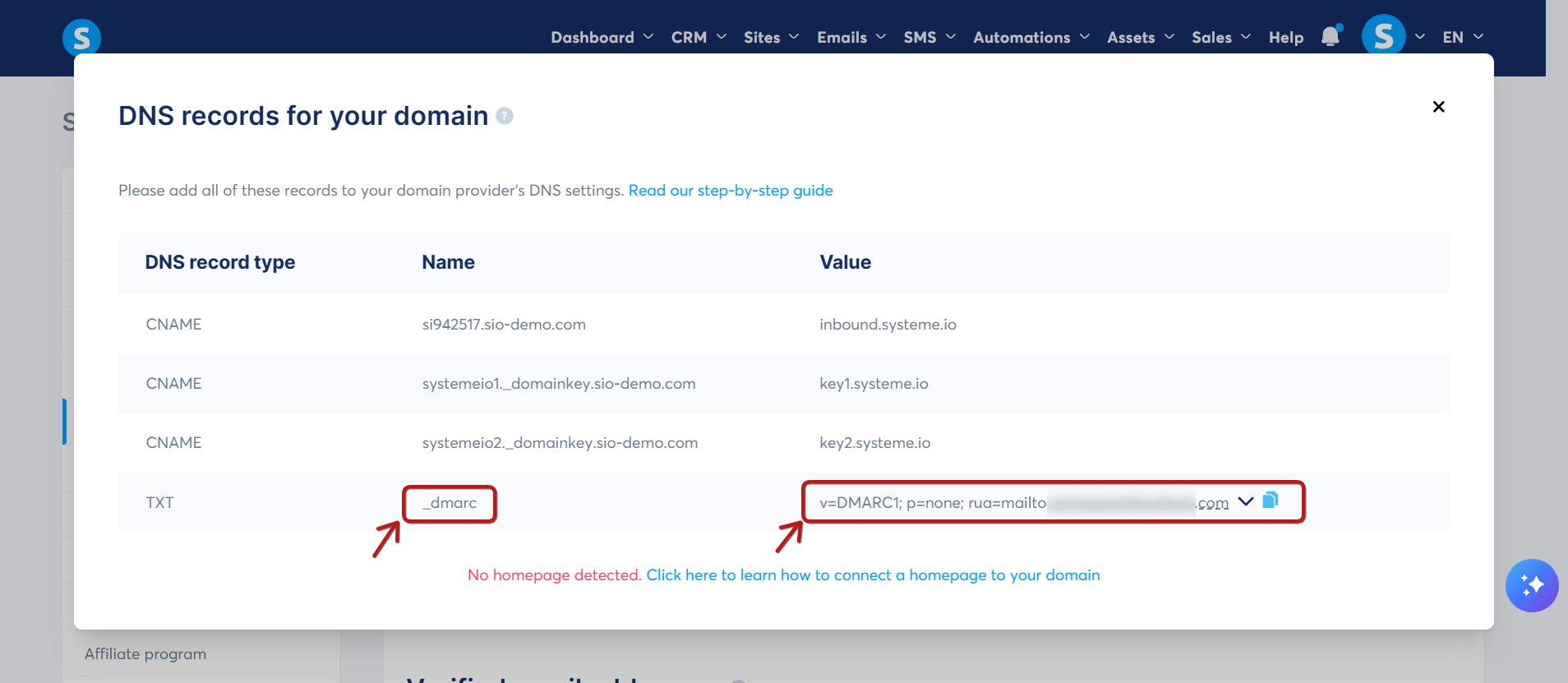
To add the DMARC record, log in to your IONOS dashboard and navigate to the DNS settings (DNS zone) for your domain.
Create a DNS entry by following these steps:
1. Click Add a record to create a new entry.

2. Select TXT as the record type.

3. In the Hostname field, enter the value shown under Name in the popup (usually _dmarc).

4. In the Value field, paste the DMARC value provided in the popup:
v=DMARC1; p=none; rua=mailto:youraddress@yourdomain.com
Example: If your email address is example@example.com, you would enter:
v=DMARC1; p=none; rua=mailto:example@example.com
Finally, click Save.

Remarks:
1. You must have only one DMARC record in your DNS zone for authentication to work. If an old DMARC record already exists, delete it and keep only the new one you just created.
2. Once the DMARC record is added, email providers will generate and send a daily report. These reports will be sent to the email address specified in the rua tag of your DMARC record.
Note: To avoid cluttering your main inbox, we recommend using a dedicated email address for these reports. You can set this up by editing the rua=mailto:example@example.com section of the value.
3. DMARC reports are sent in a raw format that can be difficult to read. Click here to learn how to interpret them. If you need further assistance, please contact our support team using this link.
4. You can verify your DMARC record is set up correctly by searching for your domain at https://mxtoolbox.com/dmarc.aspx

Notes:
Adding this DMARC record ensures that receiving servers properly authenticate your legitimate emails.
The DMARC reports you receive will help you verify that all your legitimate emails are being correctly identified and authenticated.