How to integrate Square with systeme.io
In this article, you will learn how to integrate your Square account with your systeme.io account.
What you will need:
A systeme.io account
A Square account registered in the US, Canada, Australia, the UK, France, Ireland, Spain or Japan (If your Square account is registered in another country, the connection will fail)
1. Setup and configuration
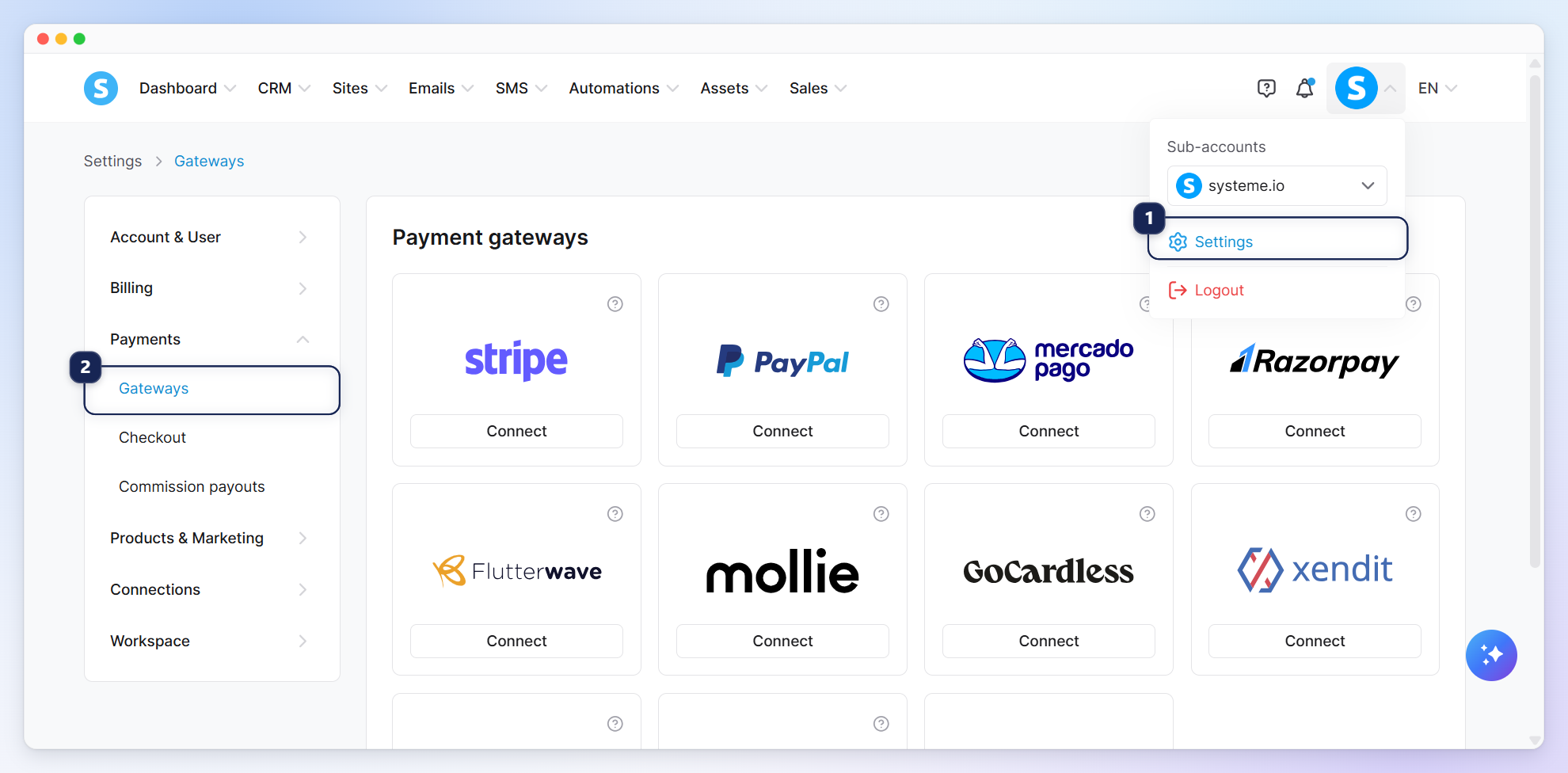
To connect your Square account, you first need to log in to your systeme.io account. Click on your profile picture, followed by Settings (1). Next, from the left-hand menu, click Gateways (2) under Payments.
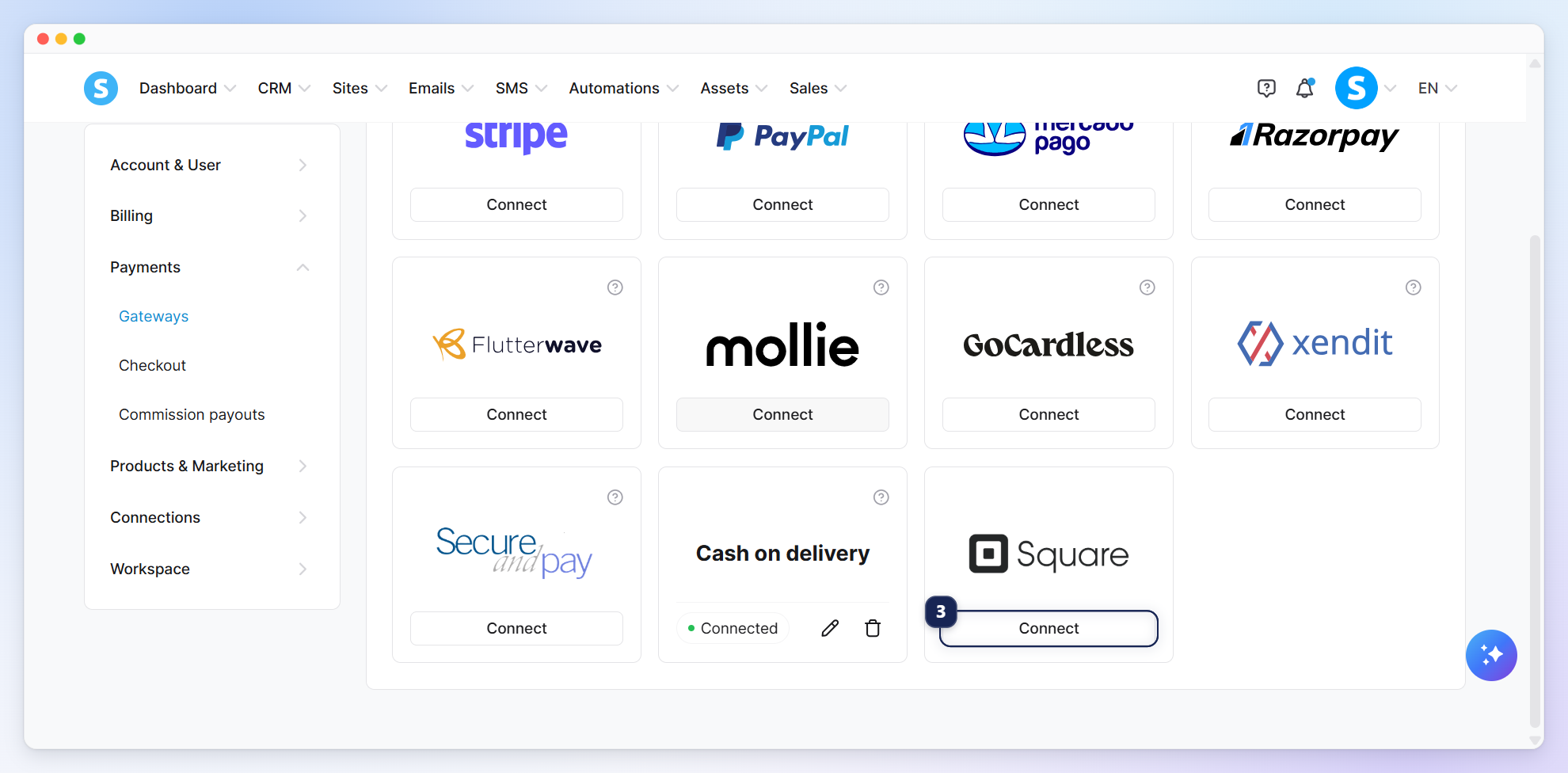
On the payment gateways page, scroll down to the bottom and click Connect (3) next to Square.
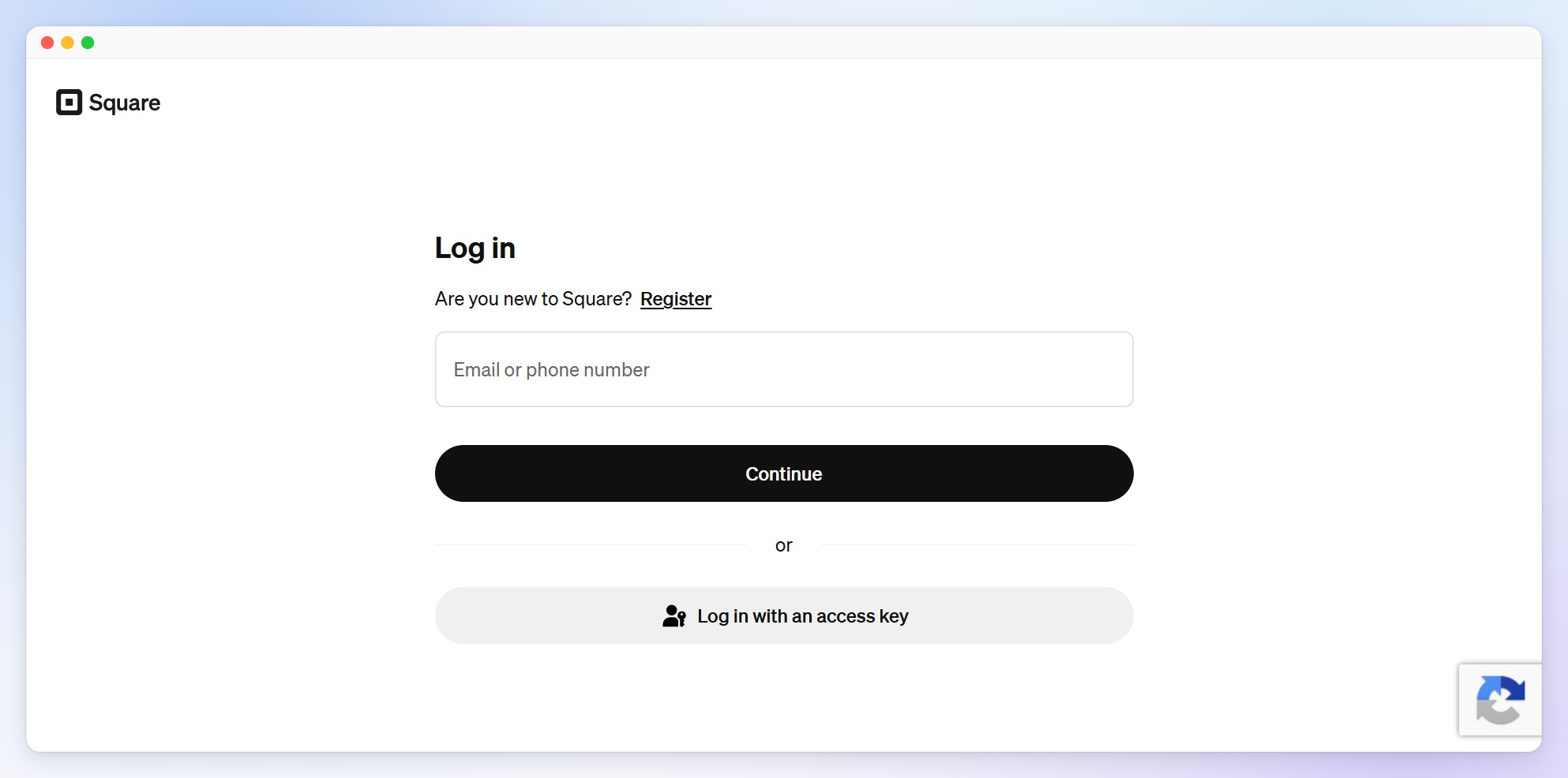
You will be redirected to a page that allows you to log in to your Square account or to create one if you do not already have an account.
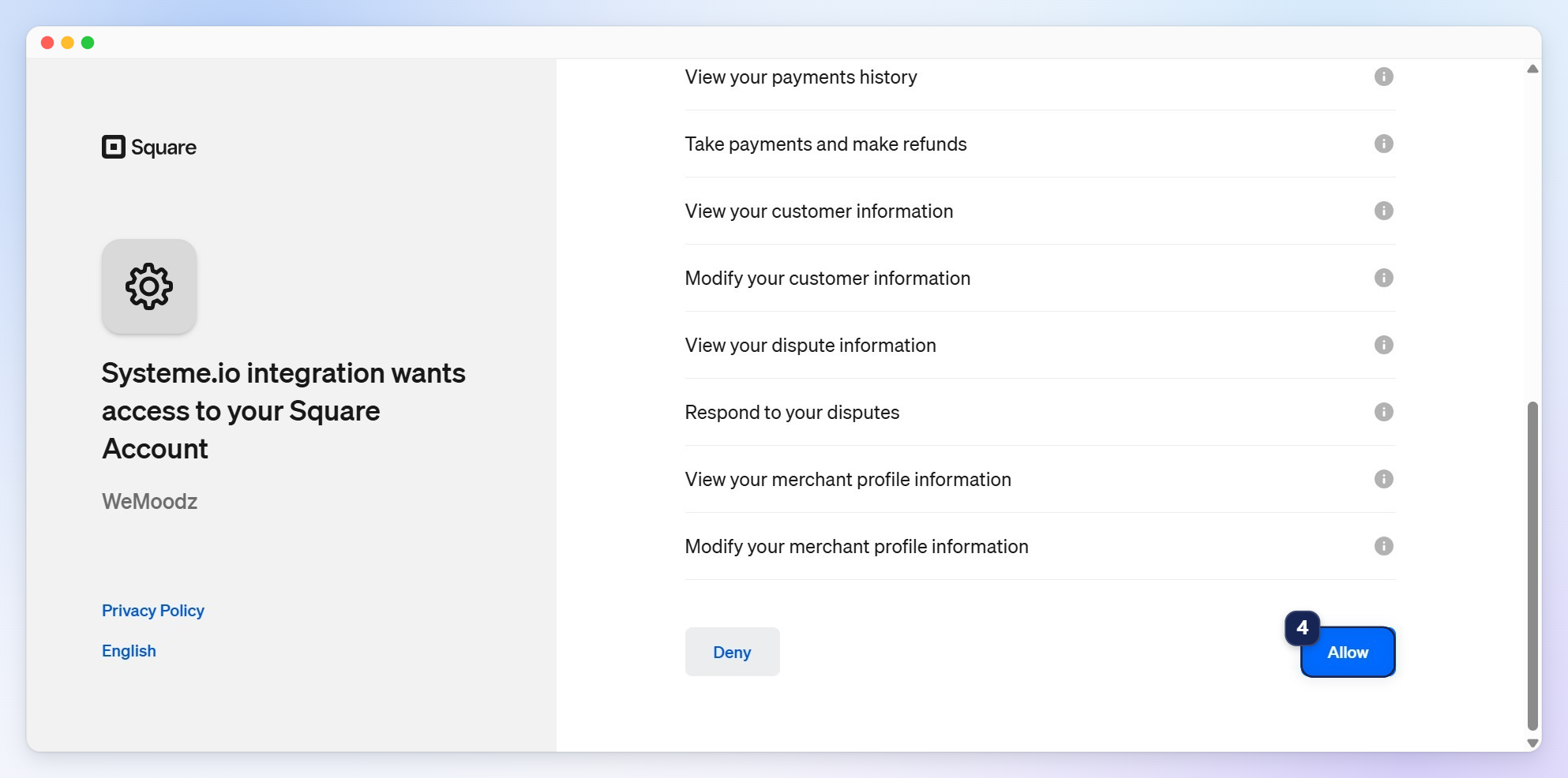
Once logged in, you will be prompted to review the permissions requested by the systeme.io integration. Scroll to the bottom of the list and click Allow (4) to authorize the connection.
Once the authorization is complete, you will be redirected back to systeme.io, and your Square account will be successfully connected.
2. Activating Square in your funnel and link in bio
Once Square is connected, the Square option will automatically appear in your funnel settings.
To offer Square on your payment pages, go to your funnel settings and check the box next to Square (1).
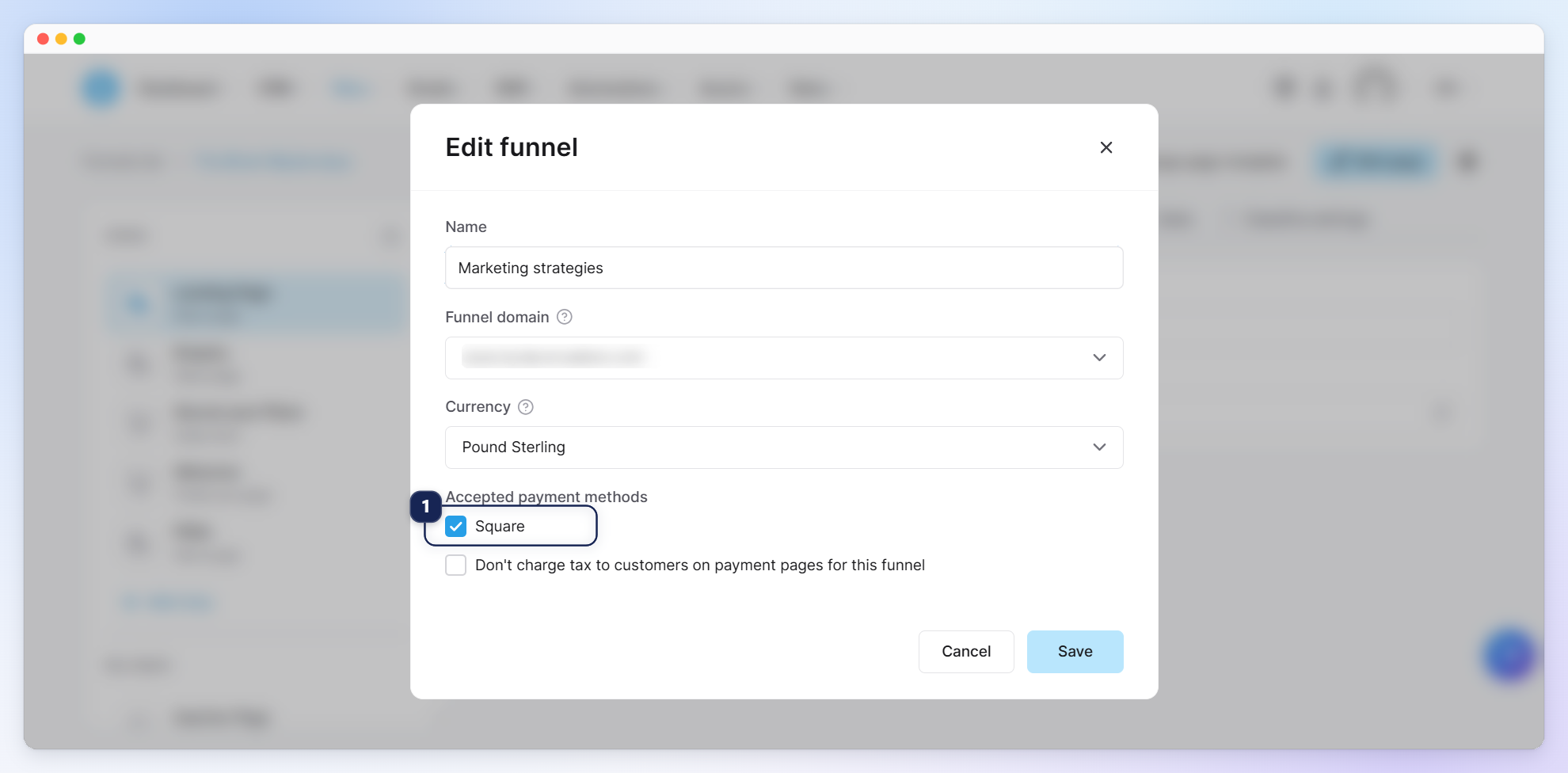
Square will now appear as an option on your order form!
To offer Square on your Link in bio page, enable the Square (2) option under the settings tab.
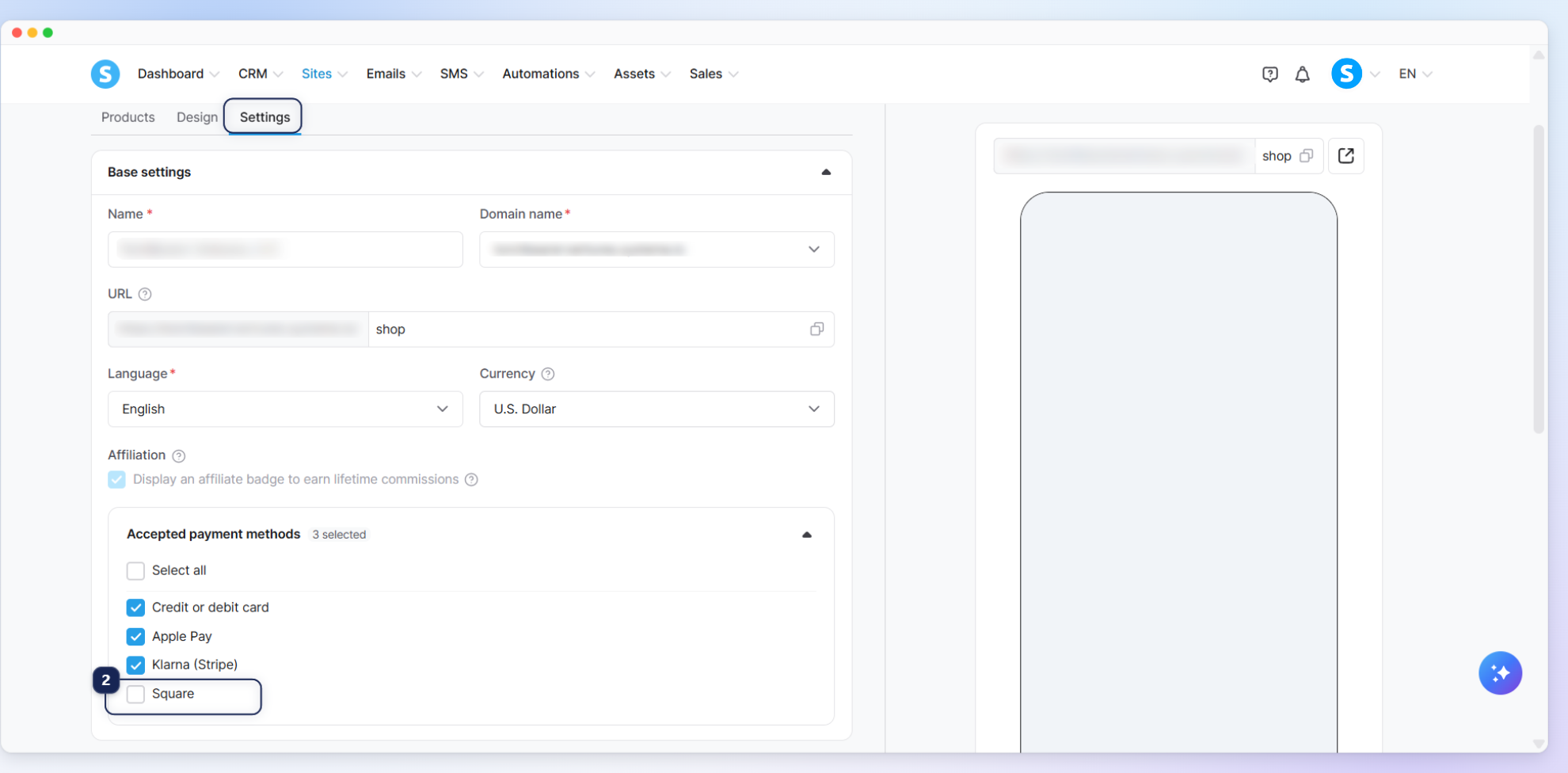
Square will now appear as a payment option on your Link in bio page!
3. Supported currencies and restrictions
Before receiving payments, ensure your funnels and products are set up according to the supported features of this gateway.
Merchant restrictions: Your Square account must be registered in one of the following 8 countries: the US, Canada, Australia, the UK, France, Ireland, Spain, or Japan.
Supported currencies: The currency of your funnel or Link in bio must match the currency of your specific Square account.
Supported payments: Credit and debit card payments only (with 3DS/SCA supported). Apple Pay, Google Pay, and ACH payments are not supported.
Recurring payments (subscriptions): Yes.
Order bumps and upsells: Yes, one-click upsells and order bumps are fully supported.
Link in bio support: Square can be used as a payment method for your Link in bio. This feature supports:
Digital and physical products.
One-time and recurring price plans.
Card payments (including 3DS support for EU and UK cards).
White label domains.
Unsupported features: Coupons are not currently available for Link in bio checkouts.
Notes:
Mandatory fields: To process transactions successfully, your payment forms (whether in a funnel or a Link in bio) must include the Email, First name, Last name, and Phone number fields. If these fields are missing, the product cannot be published or the transaction will fail.
Saving card details: When purchasing through a funnel or Link in bio, buyers are required to check a box allowing their card information to be saved to successfully process the payment.
Disconnecting Square: If you disconnect your Square account from systeme.io, any Link in bio products that relied exclusively on Square as their only payment method will automatically revert to "Draft" status.