How to offer MB WAY payments in systeme.io
In this article, you will learn how to activate MB WAY payments for your funnels.
MB WAY is Portugal's most popular mobile wallet that allows customers to pay securely using just their phone number. Buyers simply enter their phone number at checkout and approve the payment directly in the MB WAY app, without needing to use a card.
To get started, you will need:
A systeme.io account
A Stripe account connected to systeme.io (How to connect your Stripe account to systeme.io)
1. Setup process
You can activate MB WAY payments in systeme.io via Stripe. To enable this feature, ensure you have configured the following settings:
a. Enable MB WAY
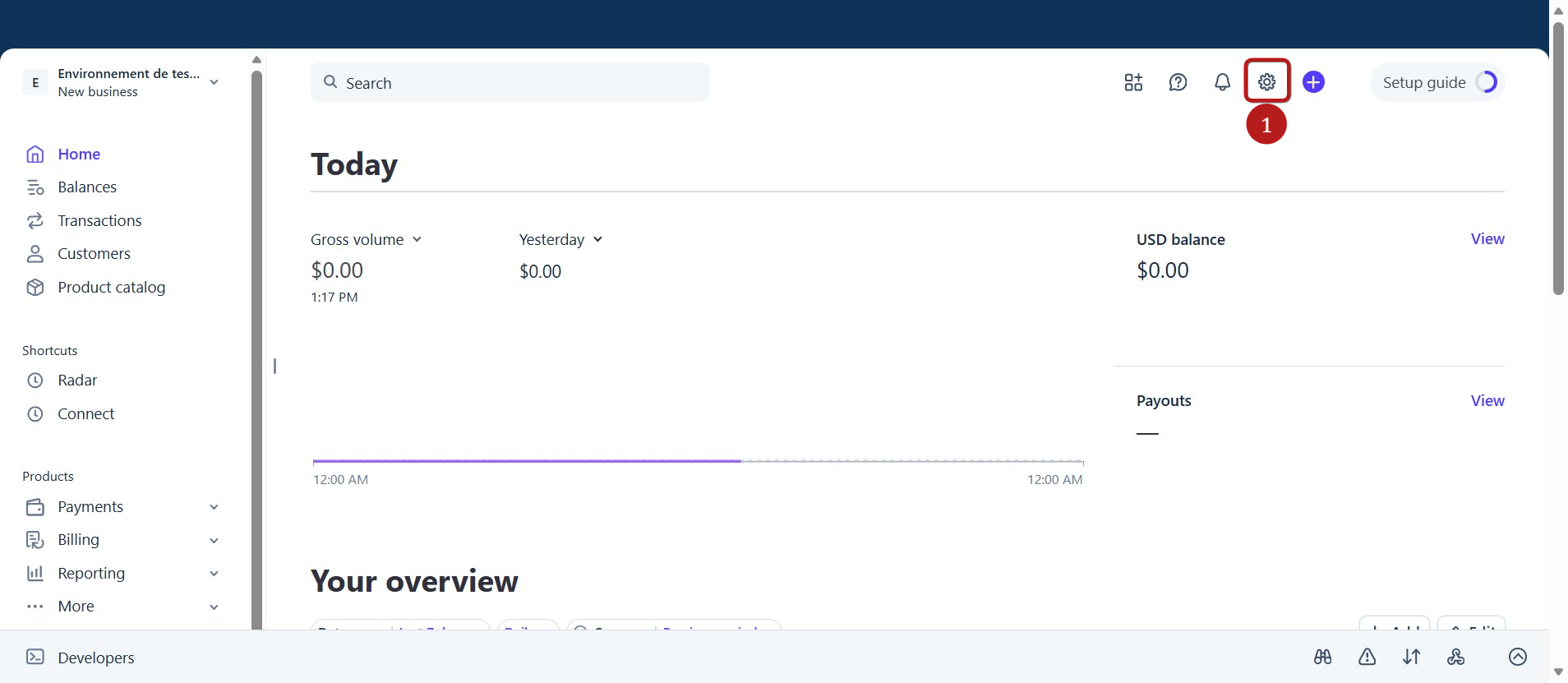
On your Stripe dashboard, click on Settings (1).
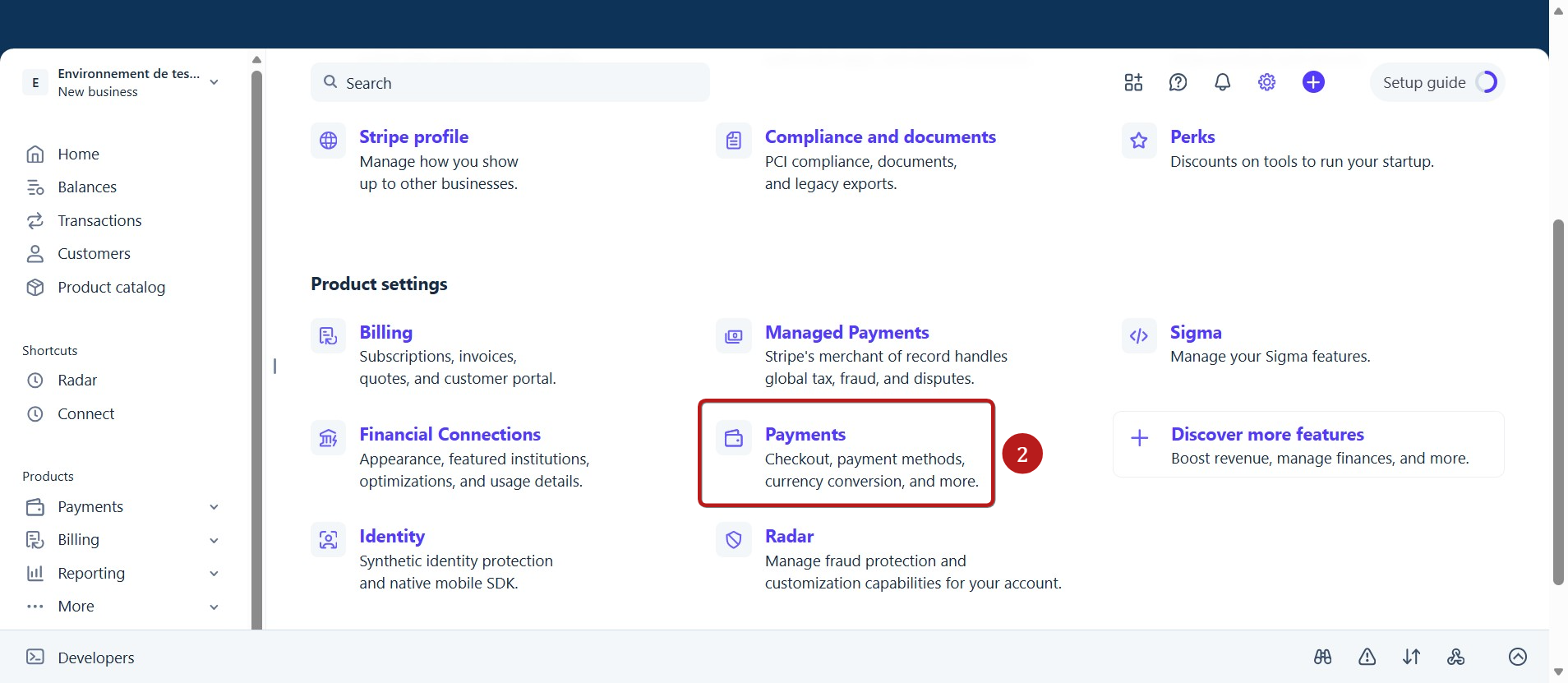
Then click Payments (2).
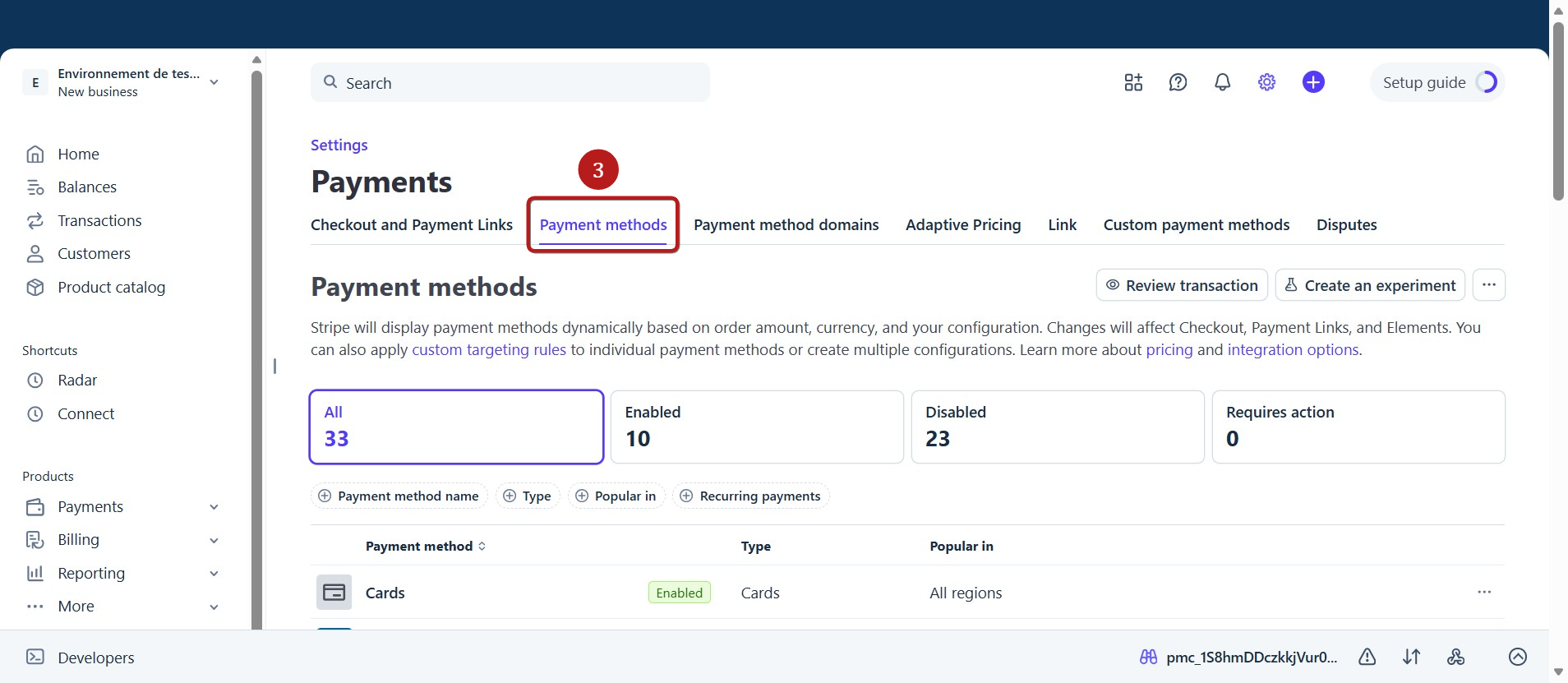
Then click Payment methods (3).
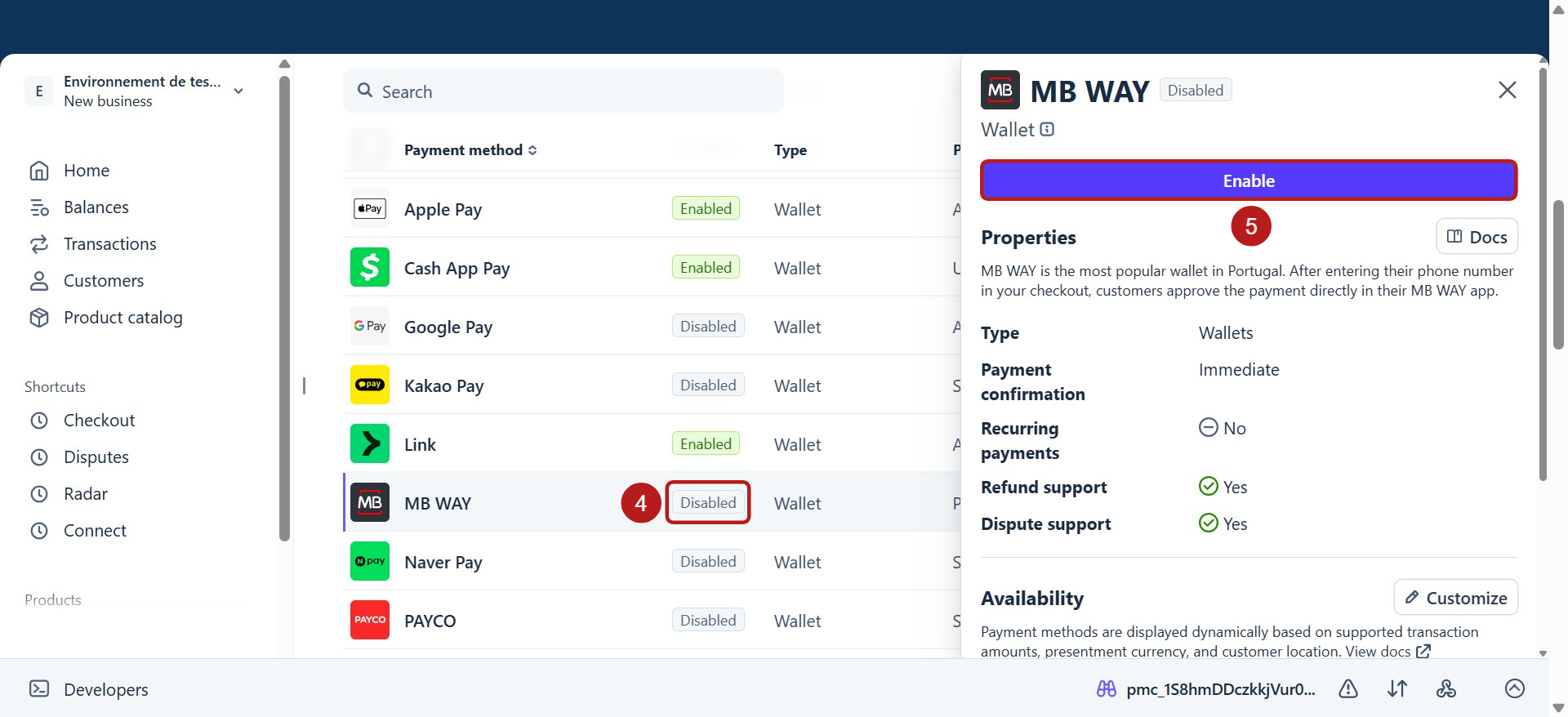
Scroll down to MB WAY and enable it by clicking Disabled (4), then Enable (5).
b. Ensure the selected currency on your funnel is supported by MB WAY
Before receiving payments, ensure your funnels and products are set up using one of the supported currencies for this gateway.
Supported currency: MB WAY only supports the Euro (EUR).
Payment limits: From €0.50 to €5,000 per payment.
Recurring payments (subscriptions): Supported. MB WAY also supports payment plans and free trials.
Order bumps and upsells: Supported (each item is approved separately in the MB WAY app).
2. Activating MB WAY in your funnel
Once MB WAY is enabled in your Stripe account and you are using a supported currency, the MB WAY option will automatically appear in your funnel settings.
To offer MB WAY on your payment pages, go to your funnel settings and check the box next to MB WAY (Stripe) (1).
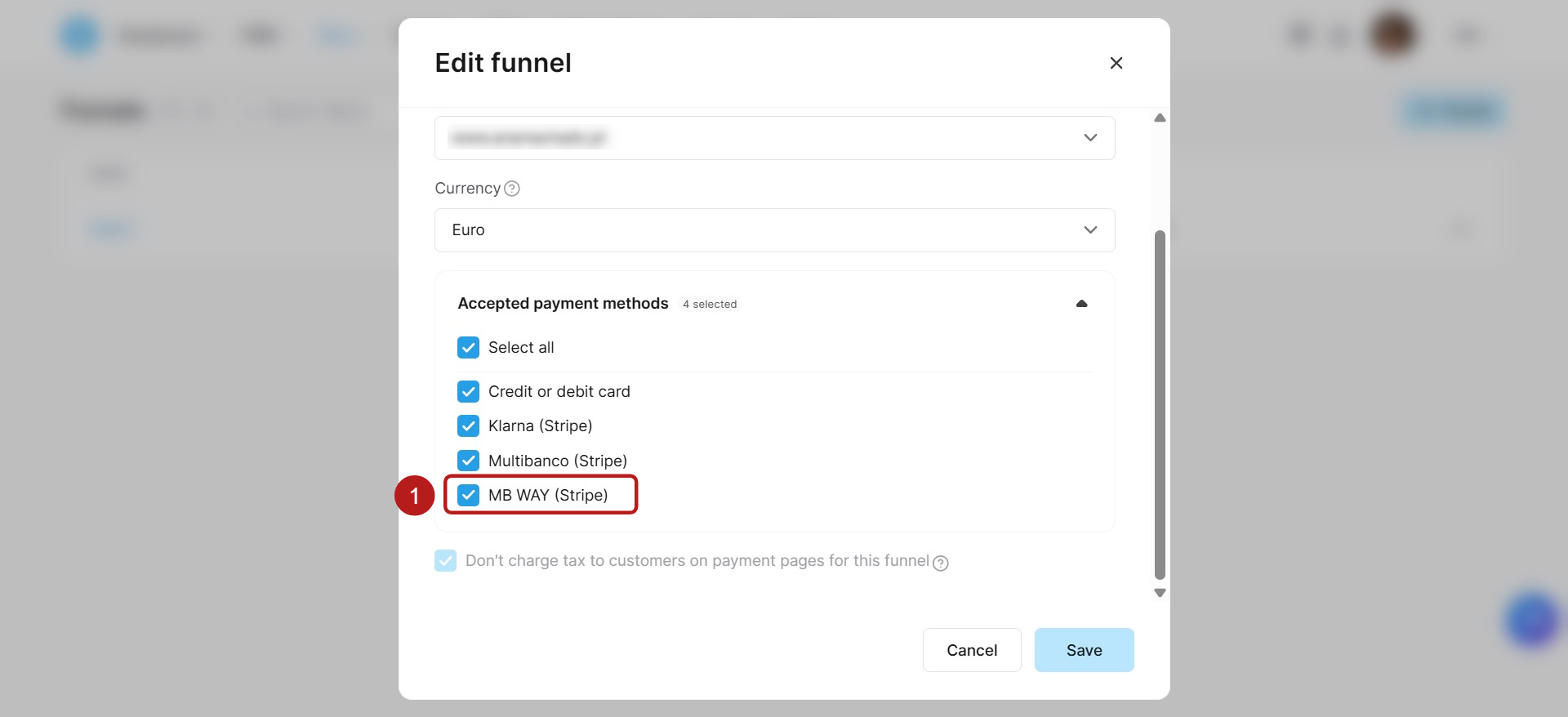
MB WAY will now appear as an option on your order form!
Note: MB WAY does not support automatic recurring charges. For subscriptions and payment plans, systeme.io handles renewals by sending a push notification to the buyer's MB WAY app on each billing date. If the buyer does not approve the notification, they will receive an email with a link to complete the payment.