English
How to manage your digital products with the systeme.io MCP server
In this article, you will learn how to manage your systeme.io digital products using natural language through our native MCP server. By connecting an AI tool like ChatGPT or Claude, you can easily create, view, update, and delete digital products, as well as set up your selling flows seamlessly without leaving your chat window.
What you will need:
A systeme.io account
An MCP key generated from your systeme.io account (How to use the systeme.io MCP server (Model Context Protocol))
An AI tool connected to your systeme.io account using MCP keys:
1. Managing digital products
The MCP server allows you to perform full management actions on your digital products directly from the chat. Just provide the name of the digital product and specify the action you want to perform.
a. Create a digital product: You can ask the AI to generate a brand-new digital product in your account.
Example: Create a new digital product named "Digital marketing masterclass" in the funnel area, with the "Marketing_class" tag and the "Masterclass - full access" price plan.


b. List, retrieve, and view digital products: You can use the AI to browse your existing digital products, search for a specific one, or fetch its detailed information.
Example: List all my digital products.

Or show me the details for "Digital marketing masterclass".

c. Update a digital product: If you need to change a digital product's details, you can instruct the AI to easily make those updates.
Example: Update the name of the "Digital marketing masterclass" digital product to "Advanced marketing masterclass".


d. Delete a digital product: You can instruct the AI to delete digital products that you no longer need.
Example: Delete the "Calendar event" digital product.


2. Configuring offers and sales settings
You can also use the MCP server to set up the selling flow for your products. You can instruct the AI to handle these steps individually or combine them into a single prompt to set up your entire offer at once.
Through the chat, you can:
Create and configure offers for selling flows (such as order forms, upsells, and downsells).
Attach your digital products and price plans to an offer.
Configure offer settings, including coupons, order bumps, currency, payment methods, tax settings, affiliate commissions, payout delays, and sales limits.
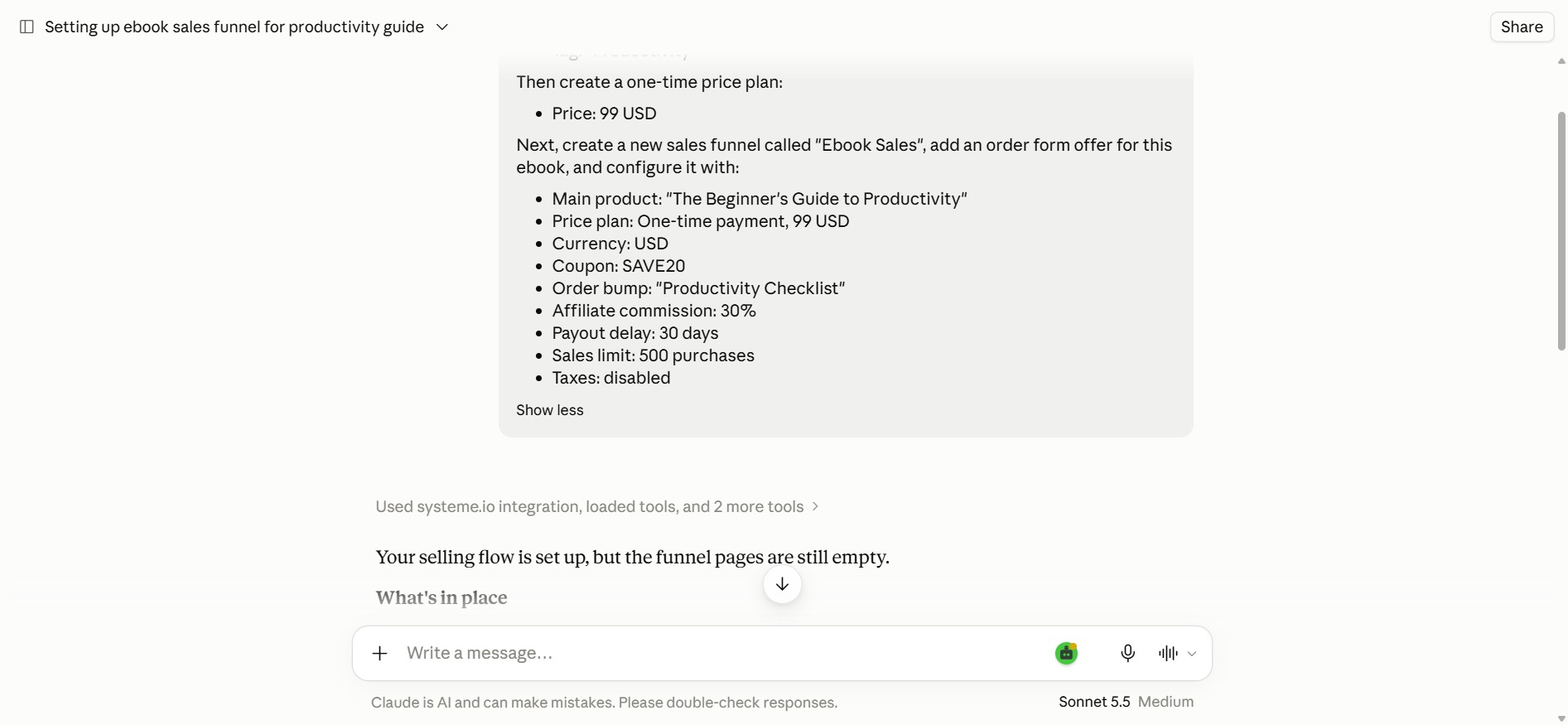
Example: Create a complete selling flow for my ebook "The Beginner's Guide to Productivity".
First, create the digital product and attach the following resource to it:
Tag: "Productivity"
Then create a one-time price plan:
Price: 99 USD
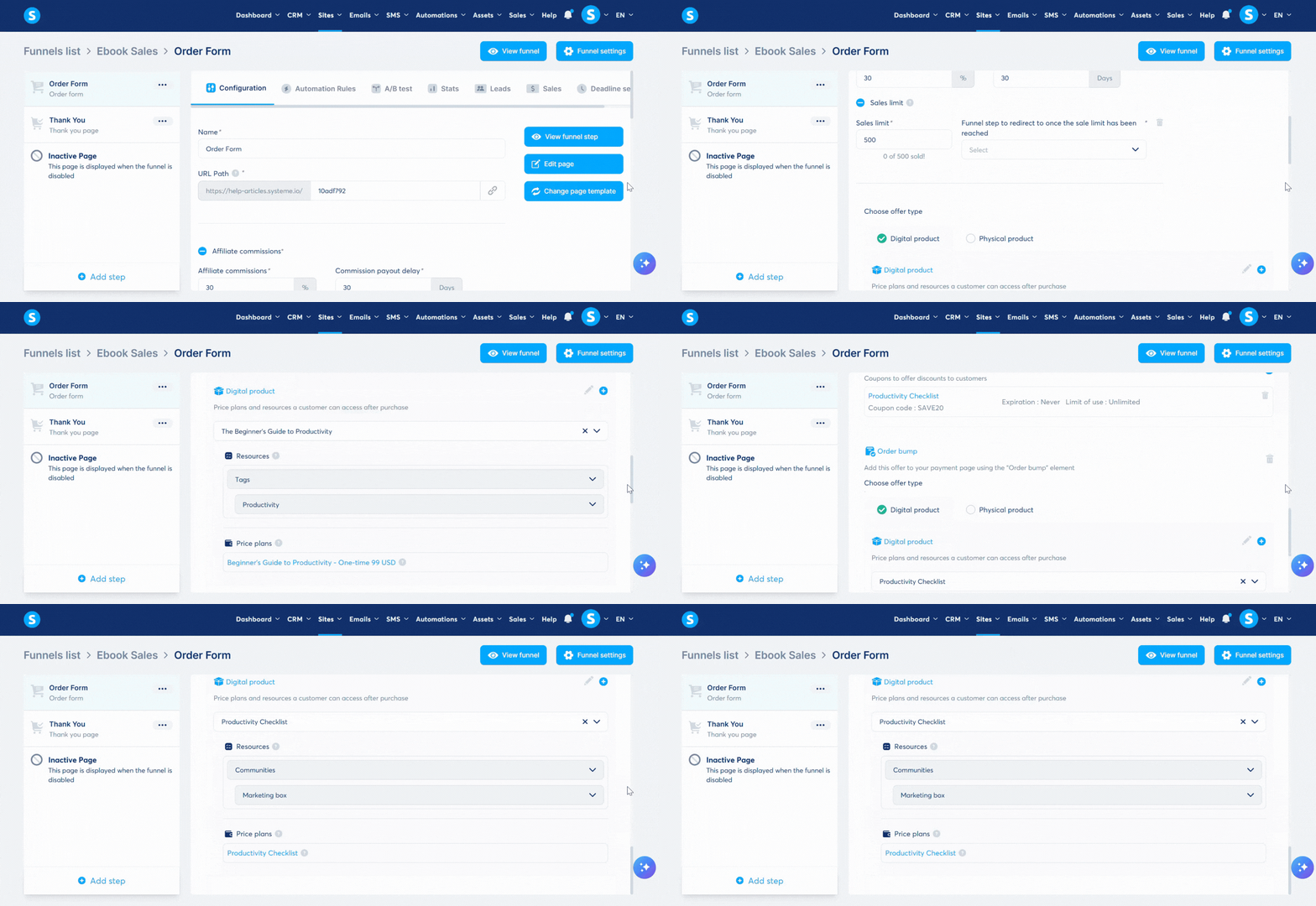
Next, create a new sales funnel called "Ebook Sales", add an order form offer for this ebook, and configure it with:
Main product: "The Beginner's Guide to Productivity"
Price plan: One-time payment, 99 USD
Currency: USD
Coupon: SAVE20
Order bump: "Productivity Checklist"
Affiliate commission: 30%
Payout delay: 30 days
Sales limit: 500 purchases
Taxes: disabled
Note: The AI will require confirmation prompts depending on the platform you use (for example, ChatGPT may ask for permission to run the action before creating or deleting a digital product).